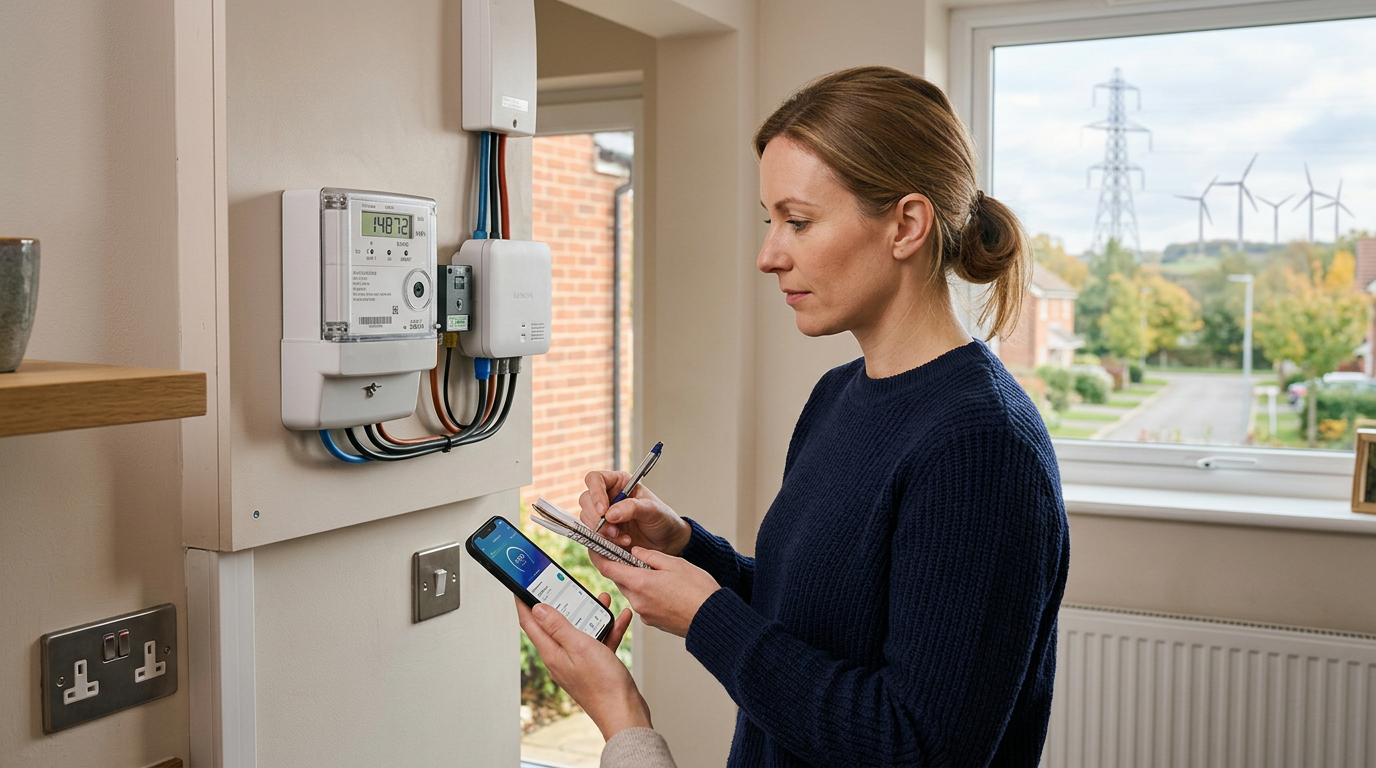
How to Read Your UK Electricity Meter (Every Type, 2026)
As a senior energy journalist for Power Guardian UK, I've seen firsthand the frustration and financial strain that inaccurate energy bills can cause. With the energy landscape constantly evolving – from the Ofgem price cap adjustments to the push for smart meter integration – understanding your electricity consumption has never been more critical. This comprehensive guide will equip you with the knowledge to accurately read every type of UK electricity meter in 2026, ensuring you pay for precisely what you use and avoid those dreaded "billing surprises."
The Crucial Role of Accurate Meter Readings
The existing content rightly highlights that "estimated bills cause 70% of complaints." This statistic, while impactful, barely scratches the surface of the problem. Estimated bills can lead to:
- Sudden, large catch-up bills: If your estimated usage is consistently lower than your actual consumption, you could face a significantly higher bill when a real reading is finally taken. This can be thousands of pounds in extreme cases, especially for larger households or those in older, less efficient properties.
- Overpayment and credit balances: Conversely, if estimates are too high, your account accumulates a large credit balance. While seemingly positive, this is essentially an interest-free loan to your supplier, money that could be better used elsewhere. Recovering these funds can sometimes be a bureaucratic headache.
- Difficulty budgeting: Without a clear picture of your energy usage, effective household budgeting becomes impossible.
- Inability to identify energy waste: Accurate readings are your first line of defence against escalating energy costs. They allow you to pinpoint periods of high consumption, helping you identify and address energy-guzzling appliances or inefficient habits.
Submitting a monthly, accurate meter reading is, therefore, not just good practice; it's an essential financial management tool in the current UK energy climate. With the Ofgem price cap dictating maximum unit rates (as of Winter 2023-24, this hovered around 28-30p/kWh for electricity, depending on region, plus a standing charge of approximately 50-60p/day), every unit counts.
Recommended Backup Power Station
Portable backup power for home working, emergency charging and energy resilience during outages.
View on Amazon UKUnderstanding the 4 Main UK Electricity Meter Types
While smart meters are becoming the norm, a significant proportion of UK households still rely on older meter types. Knowing which one you have and how to read it is paramount. Let's delve into each type with greater specificity and practical guidance.
1. Standard Digital Meter
This is arguably the most straightforward meter to read.
Appearance: Typically a small, rectangular box, often white or grey, with an LCD or LED display showing a series of numbers. It might also have a small button or two.
How to Read: 1. Locate the main display: This will show your electricity consumption in kilowatt-hours (kWh). 2. Identify the relevant digits: You need to read all the numbers before any decimal point or red-coloured digit. Some meters might display a decimal point followed by one or more digits; ignore these as they represent fractions of a kWh, which your supplier typically doesn't bill for. 3. Record the full number: Write down the complete sequence of digits from left to right.
Example Reading: If your meter displays 00123.45, your reading is 123. If it shows 0012345, your reading is 12345.
Common Pitfalls: Forgetting to record all digits, or wrongly including decimal places.
2. Dial Meter (Clock Face Meter)
These older meters can look daunting, but once you understand the logic, they are simple to read.
Appearance: Features several small clock-like dials (usually 5 or 6) arranged horizontally. Each dial has numbers 0-9.
How to Read (Step-by-Step): 1. Work from left to right: Start with the leftmost dial and proceed sequentially to the rightmost. 2. Assess each dial individually: If the hand is directly on a number:* Record that number. If the hand is between two numbers: Always take the lower number.* Crucial Exception: If the hand is between 9 and 0, and the dial to its right is indicating anything between 9 and 0 (meaning it hasn't quite completed its revolution past 9), you still record the 9 for the current dial. If the dial to the right has passed* 0 (e.g., showing 1, 2, 3 etc.), then the current dial has completed its cycle, and you record the 0. This particular nuance often causes confusion. 3. Ignore the red dial: Some dial meters have a smaller, red dial. This typically measures fractions of a kWh and should be disregarded for your main reading.
Example Scenario (Left-to-Right): Dial 1:* Hand between 1 and 2 → Read 1 Dial 2:* Hand on 6 → Read 6 Dial 3:* Hand between 4 and 5 → Read 4 Dial 4:* Hand between 9 and 0, and Dial 5 is on 8 → Read 9 (because Dial 5 hasn't yet gone past 0) Dial 5:* Hand between 0 and 1 → Read 0 (assuming the dial to its right hasn't passed 0, or it's the last main dial)
Combined Reading: For the above example, the reading would be 16490.
Common Pitfalls: Incorrectly taking the higher number, misinterpreting the "between 9 and 0" rule, or including the red dial.

3. Economy 7 Meter
Economy 7 is a specific tariff designed for households that use a significant amount of electricity during off-peak (night-time) hours, offering cheaper rates during these periods. This requires two separate readings.
Appearance: Can be a digital or dial meter. The key differentiator is the multiple displays or the presence of buttons to cycle through different readings (often labelled 'Rate 1', 'Rate 2', 'Night', 'Day', 'Low', 'Normal', 'Peak', 'Off-Peak').
How to Read (Step-by-Step): 1. Identify your rates: Look for indicators like 'Rate 1' and 'Rate 2', or 'Night' and 'Day/Normal'. Your energy bill will tell you which reading corresponds to which rate. Typically, 'Rate 1' or 'Low' is the night rate, and 'Rate 2' or 'Normal' is the day rate. 2. Display Cycling: Digital Economy 7:* Most will automatically cycle through the readings. If not, press the display button (often blue or grey) repeatedly until you see both readings. You might need to wait a few seconds between presses. Record each reading as it appears, making sure to note which rate it corresponds to (e.g., "Rate 1: 12345", "Rate 2: 67890"). Dial Economy 7:* These meters feature two sets of dials, clearly labelled 'Day'/'Normal' and 'Night'/'Low'. Read each set of dials as per the "Dial Meter" instructions above. 3. Record both readings: It’s vital to submit both readings accurately to your supplier.
What are Economy 7 hours? These typically run for seven fixed hours overnight, often between 11 PM and 8 AM, though this can vary by region and supplier. For example, in some areas of the South West, it might be 1 AM to 8 AM, while in Scotland, it could be 10:30 PM to 5:30 AM. Check your bill or supplier for your specific times.
Relevant UK Data: The unit rates for Economy 7 vary significantly. For instance, under the Ofgem price cap, the night rate could be as low as 15-20p/kWh, while the day rate might be higher than the standard rate, perhaps 35-40p/kWh. This tariff only makes financial sense if you genuinely shift a substantial portion of your electricity consumption to the night hours (e.g., charging an EV, running storage heaters, using a tumble dryer).
Common Pitfalls: Forgetting to submit both readings, mixing up which reading is which rate, or not pressing the display button enough times to cycle through all displays.
4. Smart Meter (SMETS1 and SMETS2)
The rollout of smart meters across the UK is a major government initiative, aiming for every home and business to be offered one by 2025. These meters are designed to remove the need for manual readings.
Appearance: Often sleek, modern digital meters, sometimes with an integrated In-Home Display (IHD). SMETS1 (Smart Metering Equipment Technical Specification 1):* Older generation smart meters. Some SMETS1 meters lost their smart functionality (i.e., stopped sending automatic readings) if you switched suppliers, though efforts are being made to enrol these into a central network to restore functionality. SMETS2 (Smart Metering Equipment Technical Specification 2):* The second generation, and current standard. These are designed to retain smart functionality even if you switch suppliers.
How to Read: Automatic Submission:* The ideal scenario. Your SMETS2 (and increasingly SMETS1 after recent upgrades) meter should automatically send readings to your energy supplier. This happens typically daily or half-hourly, eliminating manual intervention. Verifying Readings (Using your IHD):* Even with automatic submission, it's good practice to check your usage. 1. Locate your In-Home Display (IHD): This is a separate device, usually small and portable, that connects wirelessly to your smart meter. 2. Navigate to current readings: The interface varies by manufacturer (e.g., DCC, Geo, Chameleon), but generally, you'll look for sections like 'Current Usage', 'Meter Reading', or 'Electricity'. 3. Typical buttons to press: On many IHDs, repeatedly pressing a button labelled '9', 'OK', or 'Display' will cycle through various screens, including your current electricity and gas readings. Look for the cumulative kWh reading. 4. Confirm against the physical meter: If you are unsure, you can always check the physical meter itself. Like a standard digital meter, it will have a display showing the current kWh reading. Often, pressing a button on the meter a few times will cycle to the main electricity reading. Why check?* Occasionally, smart meters can lose connection or experience glitches. Verifying ensures your supplier is receiving accurate data.
UK-Specific Context: The Data Communications Company (DCC) operates the secure network that connects SMETS2 meters (and upgraded SMETS1 meters) to energy suppliers. This central system is designed to facilitate seamless data flow regardless of your supplier.
Comparison Table: Meter Types at a Glance
| Feature | Standard Digital | Dial Meter | Economy 7 (Digital) | Smart Meter (SMETS2) |
|---|---|---|---|---|
| Appearance | LCD/LED display | Circular dials | Digital display | Digital + IHD |
| No. of Readings | 1 | 1 | 2 (Day & Night) | Auto-submits |
| Complexity | Easy | Medium (nuances) | Medium | Very Easy (IHD check) |
| Manual Submission | Required | Required | Required | Optional (for verification) |
| Common Pitfall | Decimal points | 9-0 transition | Mixing rates up | Loss of connectivity |
← Swipe to see more →
How to Submit Your Meter Reading
Once you have your accurate reading(s), submitting them is the next crucial step. In 2026, most suppliers offer a range of convenient options.
- Via Supplier App (Fastest & Most Recommended): Nearly all major UK energy suppliers (e.g., British Gas, EDF, E.ON, Octopus Energy, ScottishPower, OVO) have dedicated mobile apps.
- Online Account (Web Browser): Similar to the app, but via your supplier's website.
- Phone (Automated Line or Customer Service):
- Post (Recommended for Vulnerable Customers): While less common, some suppliers still accept readings via post, especially for customers on their Priority Services Register (PSR) who may not have internet access or find digital methods challenging. Check your bill for the postal address or contact customer services.
- Email: Some smaller suppliers might accept readings via email, but it's less common for major providers.
Regional Notes: While the reading methods are universal, regional distribution network operators (DNOs) manage the physical infrastructure. However, your billing relationship is with your energy supplier, so all communications regarding readings go through them.
Why Your Monthly Read Matters – A Practical Scrutiny
The statement "A monthly read keeps you on actual usage and avoids billing surprises" is an understatement. In a market where the Ofgem price cap adjusts quarterly (or more frequently in volatile times), understanding your consumption today is paramount.
Consider this: * In Winter 2023-24, the average unit rate for electricity was around 29p/kWh. * If your estimation is 100 kWh lower than your actual usage each month, over 6 months, that's 600 kWh unaccounted for. * At 29p/kWh, that's an unexpected catch-up bill of £174, plus the associated standing charges and any VAT. * For larger households or those with electric heating, this deficit can quickly escalate into hundreds or even thousands of pounds.
By submitting readings monthly, you ensure: 1. Bill Accuracy: Your bills reflect your exact consumption, not an estimate based on historical data that might no longer be relevant (e.g., after installing solar panels, new insulation, or changing living habits). 2. Budget Control: You can see real-time how much you're spending and adjust your usage behaviours accordingly. 3. Problem Detection: A sudden spike in usage (e.g., 200 kWh more than last month for no apparent reason) can flag potential issues like faulty appliances or even energy theft, allowing you to investigate promptly. 4. Easier Switching: When you switch suppliers, accurate meter readings are essential for a smooth handover and to avoid being billed by two suppliers for the same energy or incorrectly debited.
FAQs
Q1: How often should I submit a meter reading? A1: Ideally, once a month. This provides the most accurate billing and helps you track your usage effectively. If you have a smart meter that's working, readings are sent automatically, so you primarily need to verify occasionally.
Q2: What if I can't find my meter? A2: Electricity meters are typically located in the basement, utility cupboard, hallway, or outside (in a box on an exterior wall) of your property. In flats, they might be in a communal meter cupboard. If you still can't find it, contact your building landlord/management or your energy supplier for guidance.
Q3: My smart meter isn't sending readings automatically. What should I do? A3: First, check your In-Home Display (IHD). If it's blank or showing an error, try restarting it (usually by unplugging and re-plugging). If the issue persists, manually take and submit readings in the interim, and contact your energy supplier. They can often diagnose and resolve connectivity issues remotely or schedule an engineer visit.
Q4: Do I need to submit a meter reading if I'm on an Economy 7 tariff? A4: Yes, absolutely! You need to submit two separate readings – one for your 'day' rate and one for your 'night' rate. If you only submit one, your supplier will estimate the other, which could lead to inaccurate billing and you missing out on the cheaper night unit rates.
Q5: I've just moved into a new property. What's the first thing I should do with the meter? A5: Take a comprehensive meter reading (both electricity and gas, if applicable) on the day you move in. Take photos for proof. Provide these "opening readings" to your chosen energy supplier. This ensures you start your billing accurately and aren't charged for the previous occupants' usage.
Q6: Can I be charged if I don't provide meter readings? A6: Yes, your supplier will base your bills on estimated usage if you don't provide readings. While not a direct "charge for not reading," these estimated bills can lead to underpaying or overpaying significantly, resulting in large catch-up bills or credit balances that are hard to reclaim.
Recommended energy saving products
Independently chosen kit that helps UK households cut energy use.
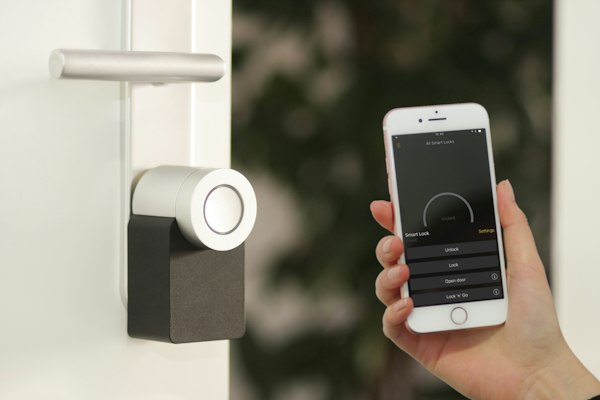
Tapo P110 Smart Plug (Energy Monitoring)
See exactly which appliances are quietly inflating your bill — track real-time watts, kWh and runtime from your phone.
- Real-time energy monitoring
- Cuts standby/vampire power
- Schedule appliances off-peak
Estimated benefit: ~£40/yr standby savings
Shop on AmazonAd – affiliate link. PowerGuardian may earn a commission from Amazon or another approved affiliate partner at no extra cost to you.
Home Energy Monitor (Whole-House)
Track your whole-home electricity use live and find where the kWh are going before the bill lands.
- Whole-house live usage
- Spot expensive habits fast
- App history & alerts
Estimated benefit: Awareness cuts ~5-10% use
Shop on AmazonAd – affiliate link. PowerGuardian may earn a commission from Amazon or another approved affiliate partner at no extra cost to you.
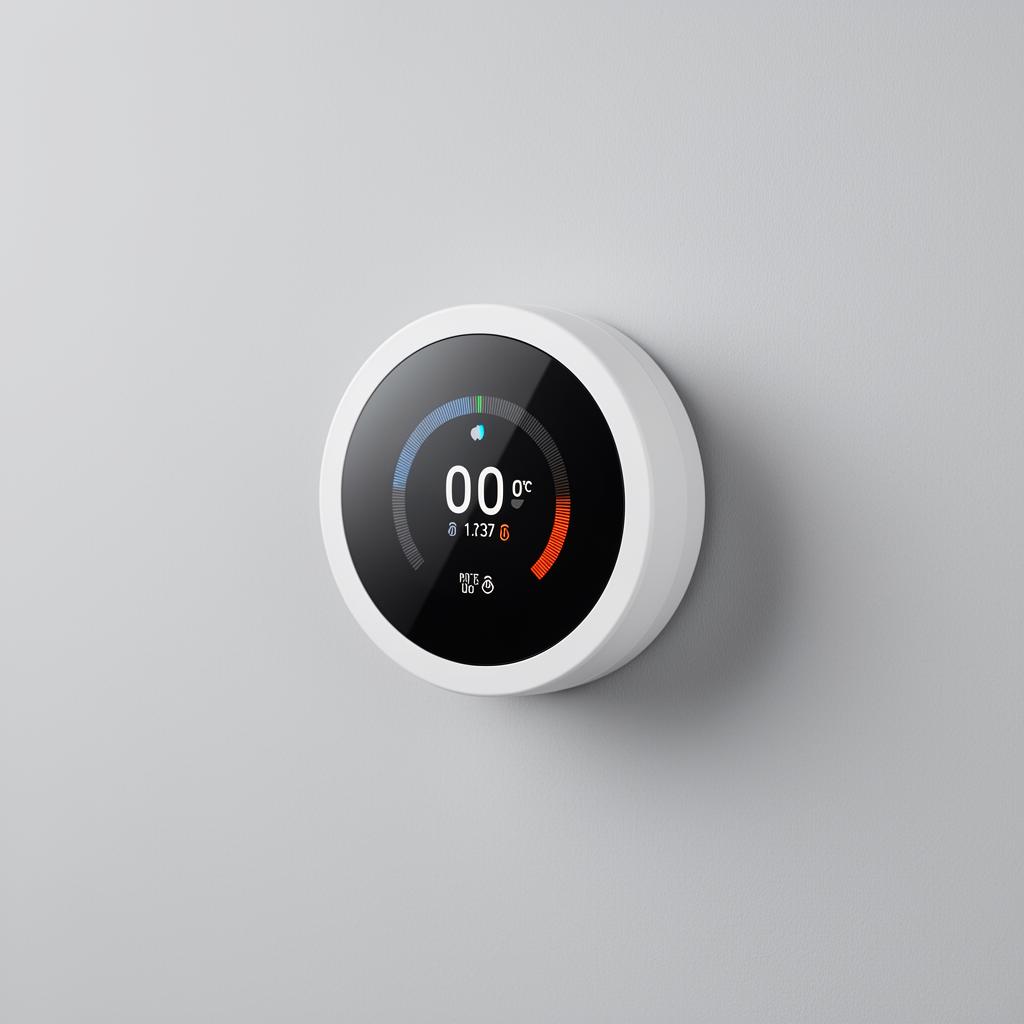
tado Smart Thermostat Starter Kit
Schedule, zone and remote-control your heating — independently shown to cut heating bills meaningfully.
- Heat only when needed
- Geofencing & schedules
- Room-by-room control
Estimated benefit: Up to ~£140/yr
Shop on AmazonAd – affiliate link. PowerGuardian may earn a commission from Amazon or another approved affiliate partner at no extra cost to you.
Affiliate links — we may earn a small commission at no extra cost to you. This keeps PowerGuardian free and independent.
Conclusion
In the dynamic and often challenging UK energy market of 2026, being an informed consumer is your most powerful tool. Understanding how to accurately read your electricity meter – whether it's a legacy dial, a standard digital, a multi-rate Economy 7, or a modern smart meter – empowers you to take control of your energy spend. The small effort of a regular monthly meter read translates directly into accurate bills, better budgeting, and peace of mind, allowing you to sidestep the 70% of complaints stemming from estimated charges. Don't be a statistic; be a savvy energy consumer.
Power Guardian UK.
Why are accurate meter readings so important?
Accurate readings prevent sudden, large catch-up bills if estimates are too low, and avoid overpaying if estimates are too high, which is essentially an interest-free loan to your supplier. They are crucial for effective budgeting and identifying energy waste.
What is a "catch-up bill"?
A catch-up bill occurs when previous estimated bills were significantly lower than your actual usage. When a real meter reading is finally submitted, your energy supplier will bill you for the underestimated consumption, potentially resulting in a very large bill.
How much does electricity currently cost per kWh in the UK?
As of Winter 2023-24, the Ofgem price cap meant electricity unit rates hovered around 28-30p/kWh, depending on your region. There is also an additional standing charge of approximately 50-60p/day.
What is the "9 and 0" rule for dial meters?
For a dial meter, if the hand is between 9 and 0, you read 9 unless the hand on the dial immediately to its right has already passed 0. This indicates the current dial has completed its full revolution, and you should read 0.
What if my digital meter shows a decimal point?
You should ignore any digits after a decimal point or any red-coloured digits on a standard digital meter. These represent fractions of a kWh that your energy supplier typically does not include in your main billing.
Current Supplier Watch
Recommended kit

Door Bottom Draught Excluder
Block cold draughts under exterior doors — one of the cheapest wins for cutting winter heating loss.
Shop on Amazon